

Healthy devices, handled tickets — before people wait.
clarITy DEX finds unhealthy laptops earlier. clarITy ITSM helps a service desk handle tickets, SLAs, and incidents. Built by thinkclarITy for IT teams.
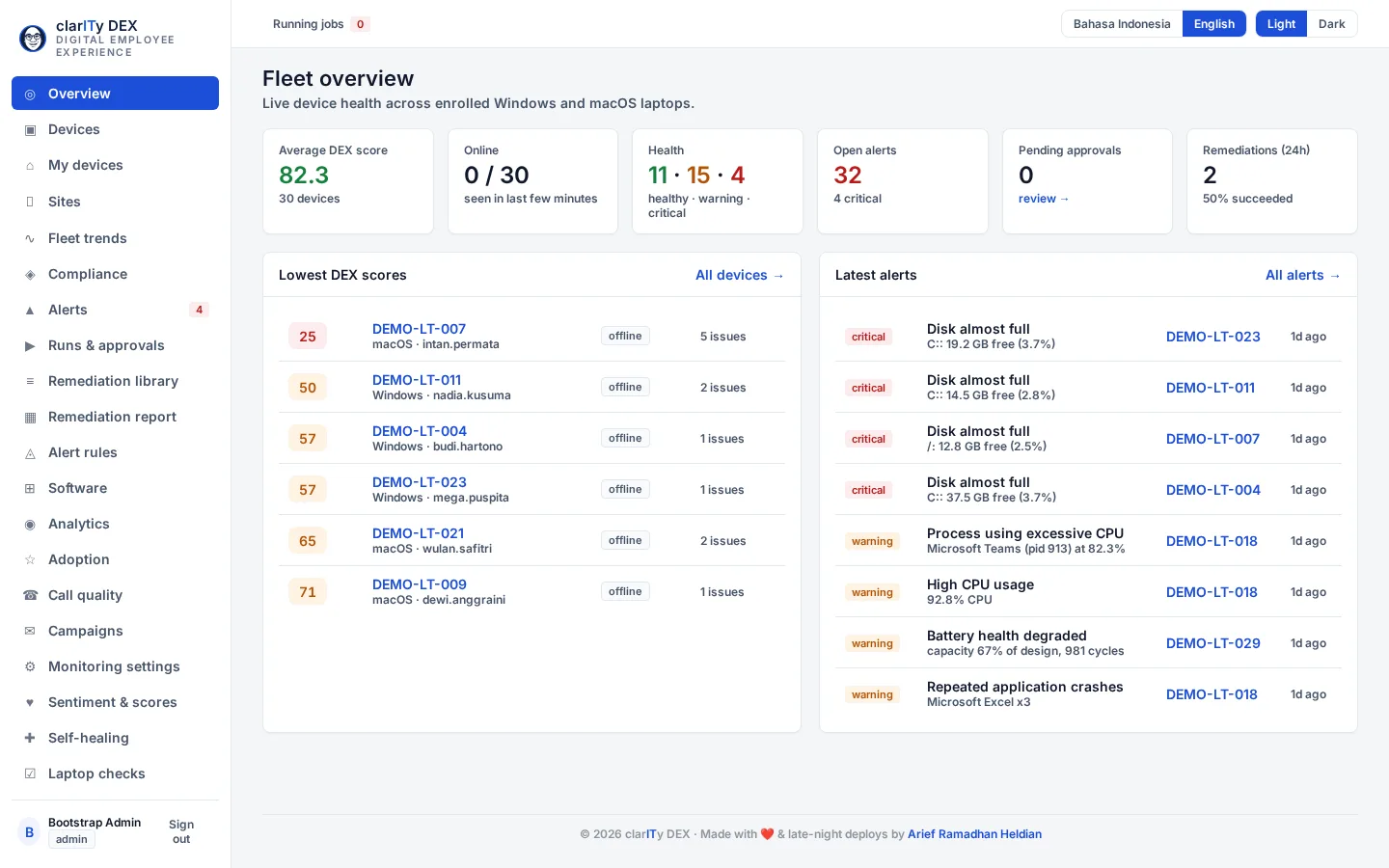
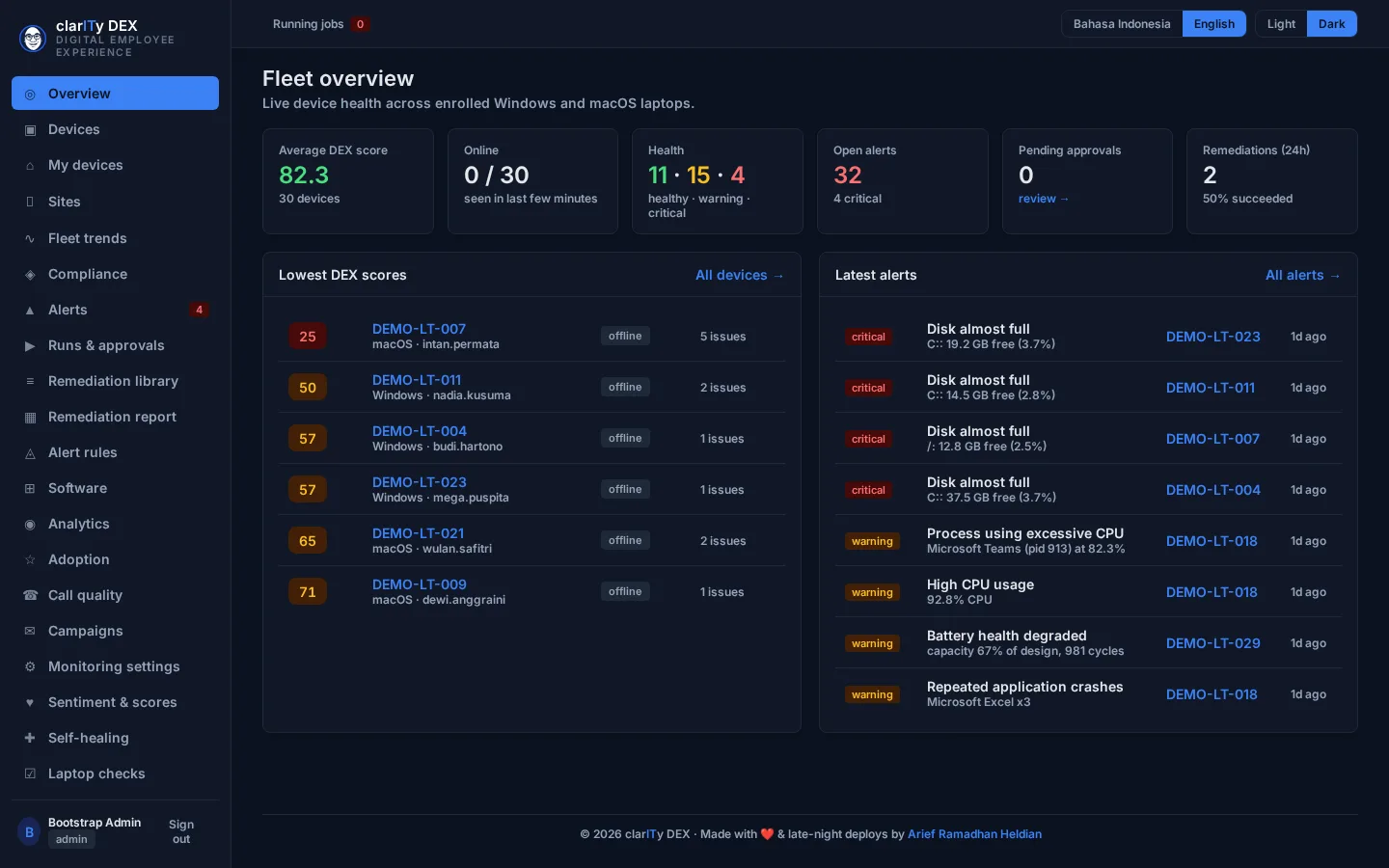
Desktop preview. This is not a phone layout of clarITy DEX.
About this image
clarITy DEX demo build from c6b9745, captured 9 November 2026, 07:28:03 WIB. Fictional tenant Acme Demo; demo data, no customer data. Local production SHA with Acme Demo fixtures, not the live host. No capture CSS or DOM change; the original footer is kept. The published preview is the 1440 desktop capture. The 390 files are kept unmodified and are not the phone preview: the sidebar fills that viewport, and the devices-list and device-detail files at 390 are the same image in each theme.
Products
Two products for the two loudest complaints: devices and tickets.
Use clarITy DEX, clarITy ITSM, or both. Each stands on its own.
Desktop preview. This is not a phone layout of clarITy DEX.
About this image
clarITy DEX demo build from c6b9745, captured 9 November 2026, 07:28:03 WIB. Fictional tenant Acme Demo; demo data, no customer data. Local production SHA with Acme Demo fixtures, not the live host. No capture CSS or DOM change; the original footer is kept. The published preview is the 1440 desktop capture. The 390 files are kept unmodified and are not the phone preview: the sidebar fills that viewport, and the devices-list and device-detail files at 390 are the same image in each theme.
clarITy DEX
Digital Employee Experience
Find an unhealthy laptop before someone files a ticket.
- See the devices with the worst experience first, not the loudest complaint.
- Fix a repeated problem with an approved script, not one remote session at a time.
- Watch device compliance (encryption, patch, screen lock) in one place.
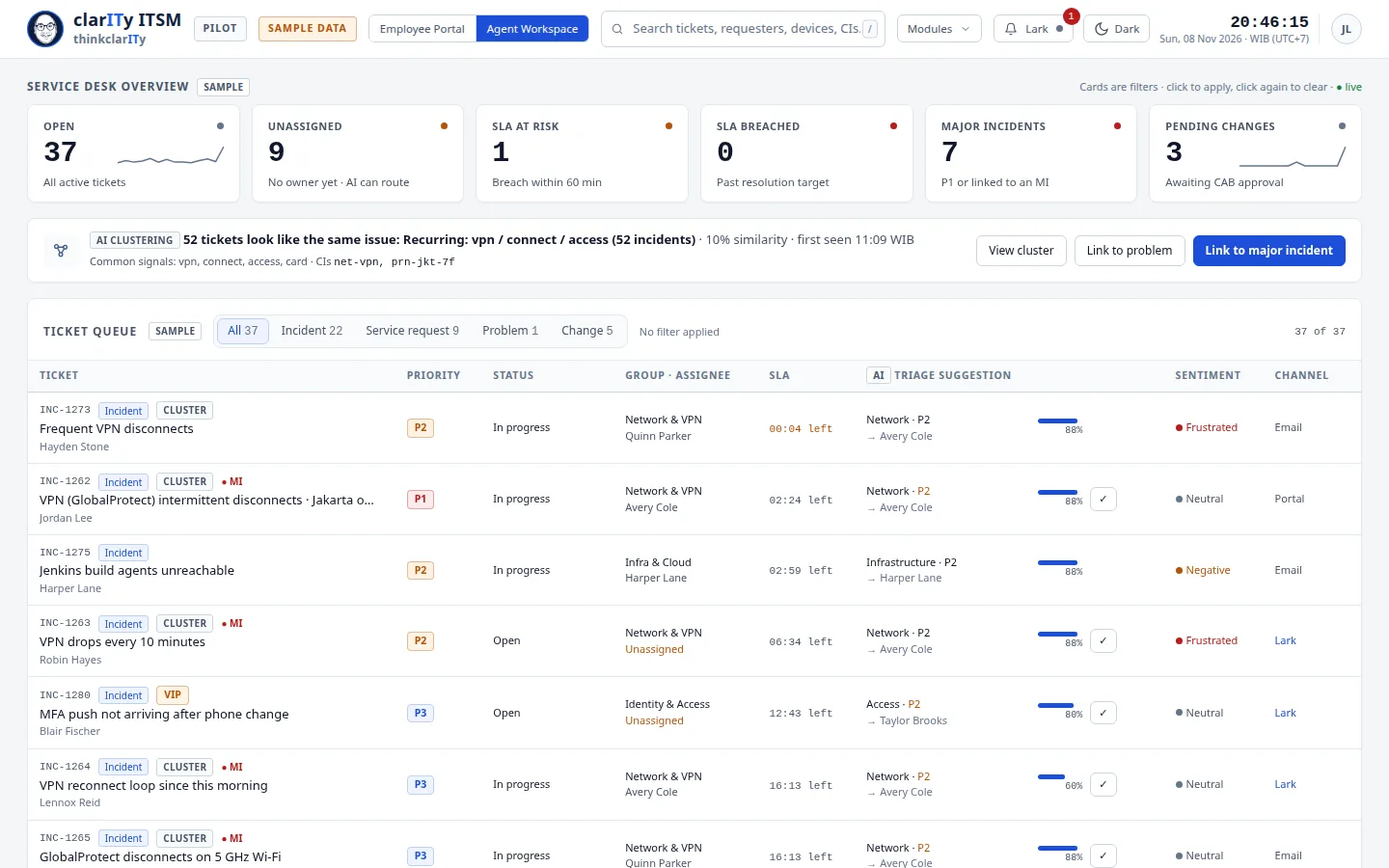
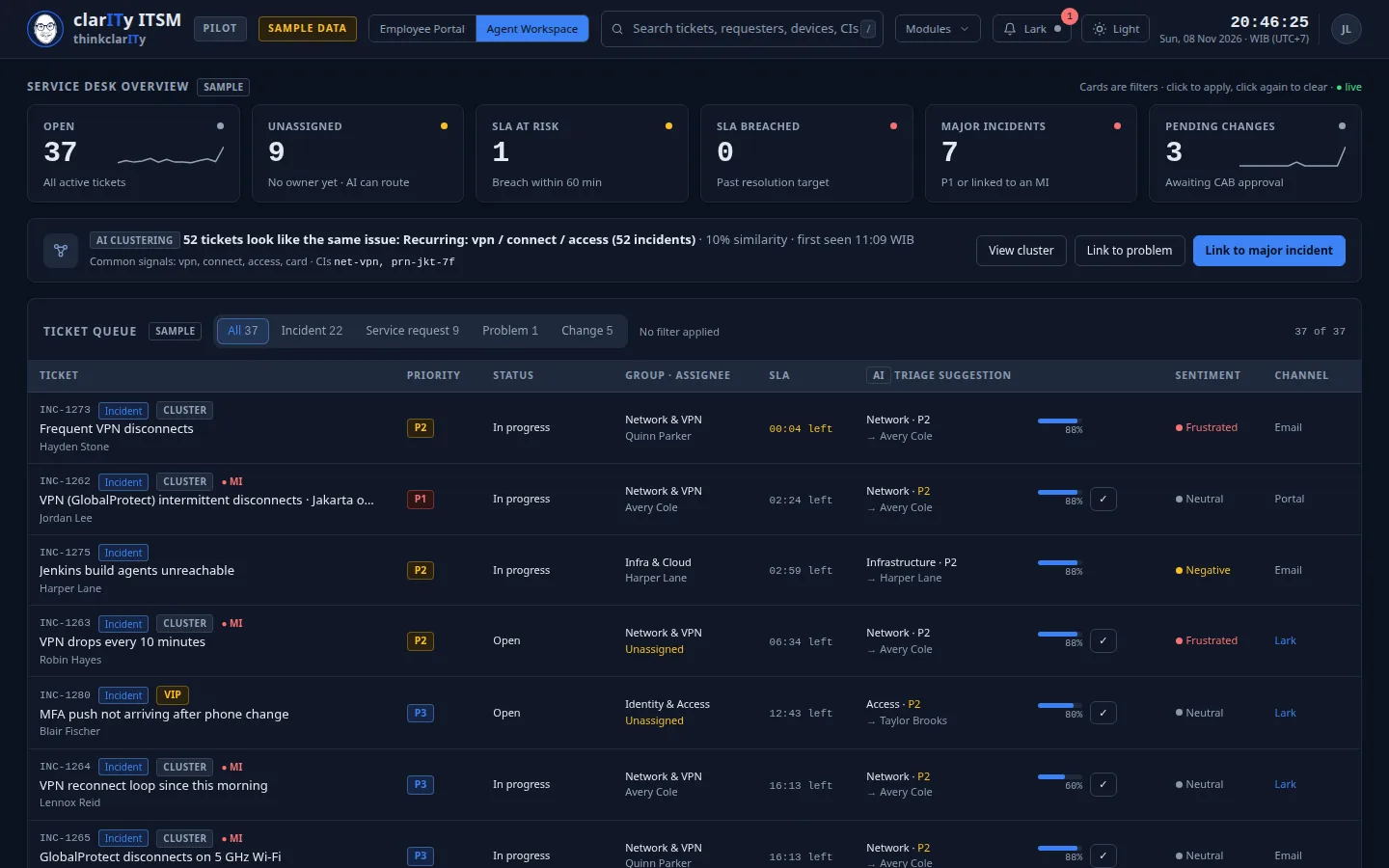
Desktop preview. This is not a phone layout of clarITy DEX.
About this image
clarITy ITSM demo build from cd9b2a6, captured 8 November 2026. Fictional tenant thinkclarITy sample workspace (fictional English seed); demo data, no customer data. Unpublished demo build, not the live product.
clarITy ITSM
IT Service Management
A service desk that helps agents clear tickets faster — and see an incident earlier.
- See unowned tickets and SLAs at risk before they are missed.
- Spot a major incident sooner by grouping similar tickets.
- Shorten triage with a category and group suggestion the agent can accept or change.
The problem
Work gets worse quietly, one laptop at a time.
A slow laptop, a dropped VPN, disk encryption off. IT usually hears about it after someone complains — or not at all.
Problems surface late
IT often hears about a bad laptop after someone has already lost working time — or stopped reporting it.
Fixes one device at a time
The same issue on dozens of devices is handled through repeated manual remote sessions.
SLAs slip quietly
Unowned tickets pile up, and similar reports are recognised as one incident only after the deadline.
clarITy DEX · Digital Employee Experience
From a health score to a recorded fix.
clarITy DEX scores each laptop and desktop — performance, network and meeting apps, application stability, compliance, and employee sentiment — then helps IT fix it with an approved remediation.
01
A DEX score per device and fleet
A 0–100 score from weighted pillars: device performance, network and meeting apps, application stability, compliance posture, and employee sentiment. The weakest pillar is visible.
Fleet overview · Sample workspace — demo data Desktop preview. This is not a phone layout of clarITy DEX.
About this image
clarITy DEX demo build from c6b9745, captured 9 November 2026, 07:28:03 WIB. Fictional tenant Acme Demo; demo data, no customer data. Local production SHA with Acme Demo fixtures, not the live host. No capture CSS or DOM change; the original footer is kept. The published preview is the 1440 desktop capture. The 390 files are kept unmodified and are not the phone preview: the sidebar fills that viewport, and the devices-list and device-detail files at 390 are the same image in each theme.
02
Health by location and floor
A view by building and floor shows a pattern — for example Wi-Fi trouble on one floor — and filters the affected devices.
03
Self-healing that stays controlled
Remediation runs from a signed script, with a second approval when you require it. Success, failure, queue, and rollback are recorded per device.
No capture of this view is included in the product preview.
Product screenshot withheld 04
AI insight, decided by a person
A summary per device and per fleet explains what happened and what could be done. It is a suggestion until someone chooses a remediation.
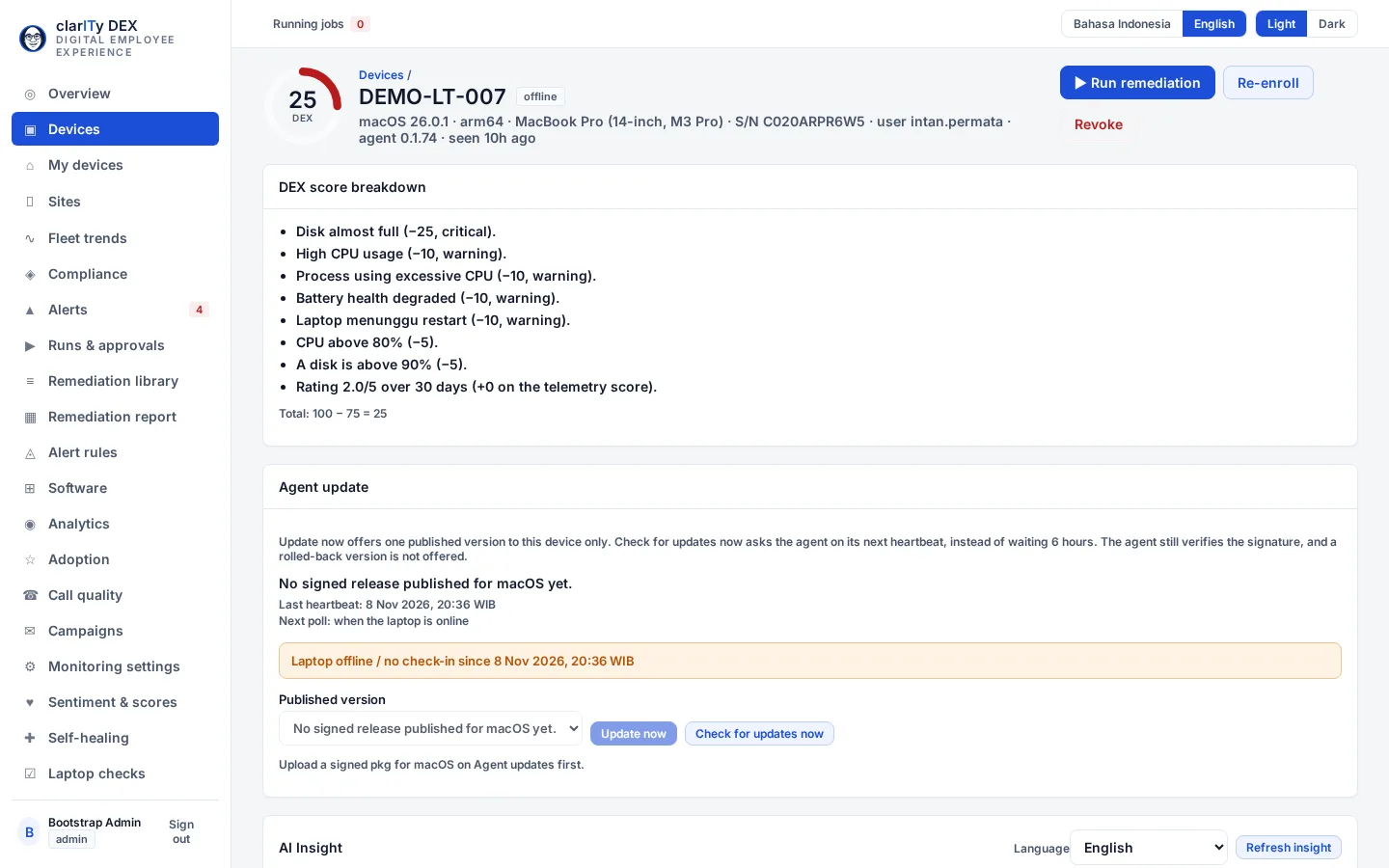
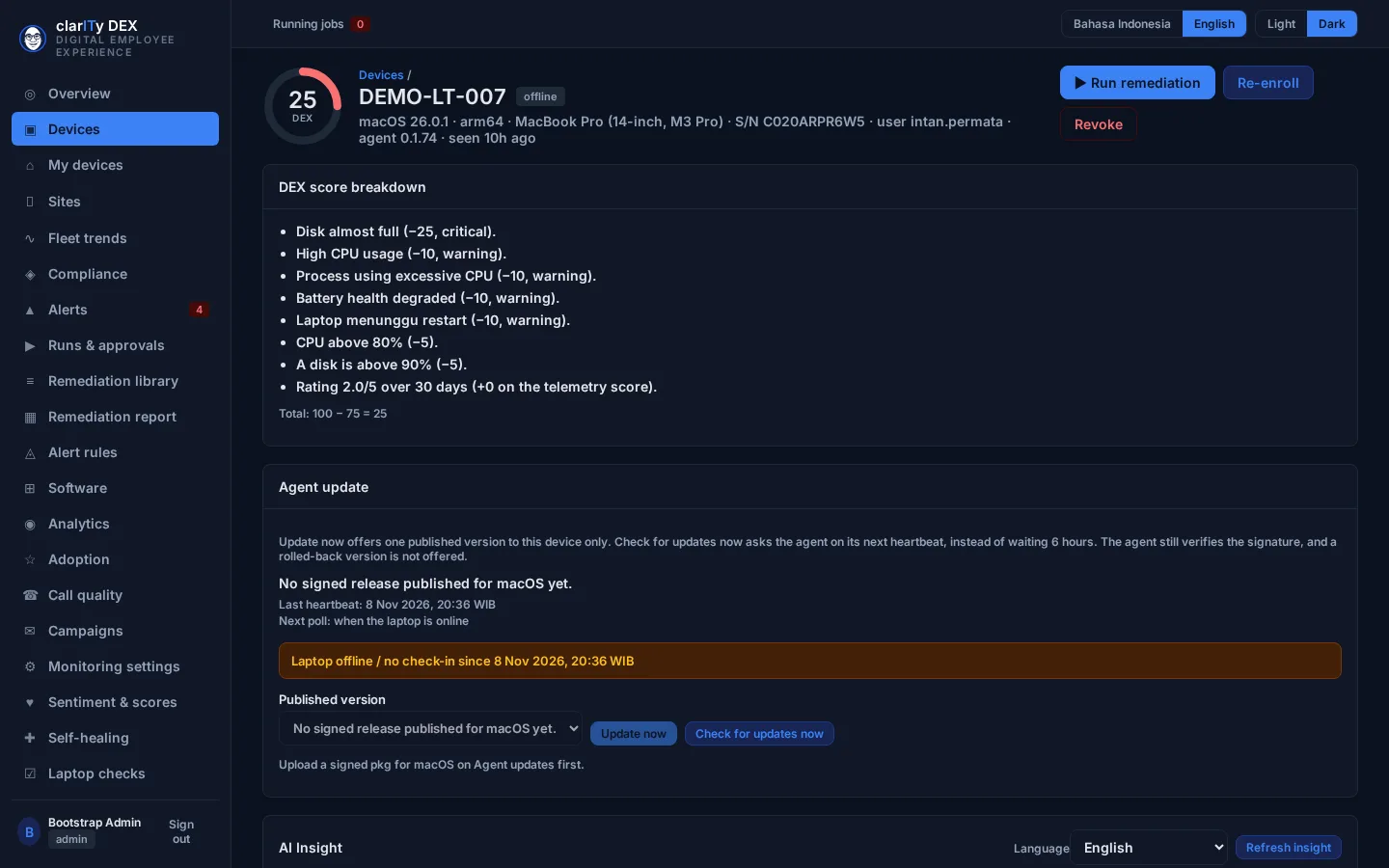
Device detail · Sample workspace — demo data Desktop preview. This is not a phone layout of clarITy DEX.
About this image
clarITy DEX demo build from c6b9745, captured 9 November 2026, 07:28:03 WIB. Fictional tenant Acme Demo; demo data, no customer data. Local production SHA with Acme Demo fixtures, not the live host. No capture CSS or DOM change; the original footer is kept. The published preview is the 1440 desktop capture. The 390 files are kept unmodified and are not the phone preview: the sidebar fills that viewport, and the devices-list and device-detail files at 390 are the same image in each theme.
Product previews show the real clarITy DEX and clarITy ITSM interfaces with fictional demo data, not customer data.
clarITy ITSM · IT Service Management
A service desk that sees the pattern, not only the ticket.
clarITy ITSM brings the ticket queue, SLAs, incidents, changes, and approvals into one agent workspace, with AI-assisted triage suggestions and similar-ticket grouping.
01
Agent workspace and SLA queue
A service-desk summary — open tickets, unowned, SLA at risk and breached, major incidents, changes waiting — that filters the queue when selected.
Agent workspace · Sample workspace — demo data Desktop preview. This is not a phone layout of clarITy DEX.
About this image
clarITy ITSM demo build from cd9b2a6, captured 8 November 2026. Fictional tenant thinkclarITy sample workspace (fictional English seed); demo data, no customer data. Unpublished demo build, not the live product.
02
AI-assisted triage and grouping
Each ticket can receive a suggested category, group, and priority, with a confidence. Similar tickets are grouped so they can be linked to one incident. The agent decides.
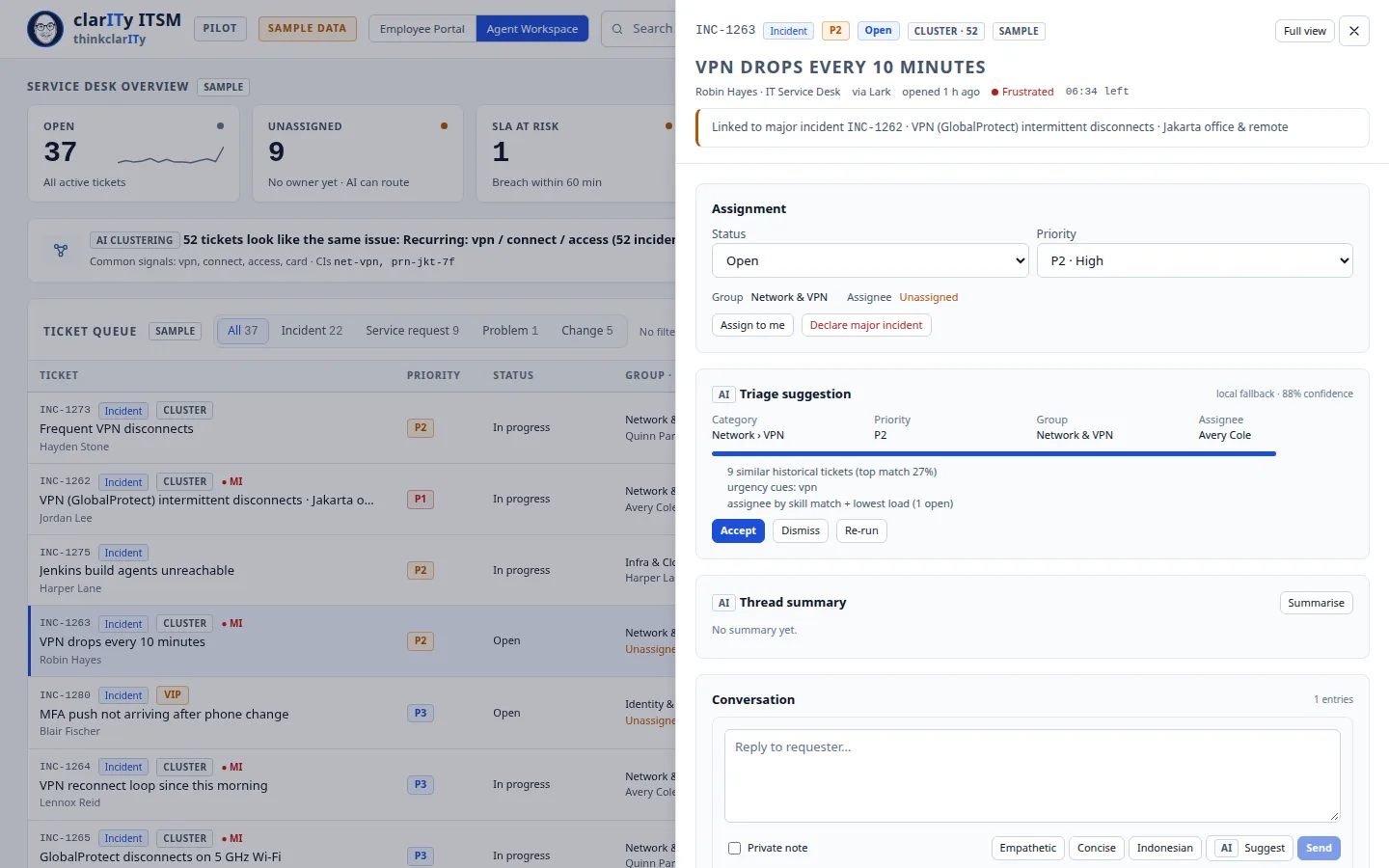
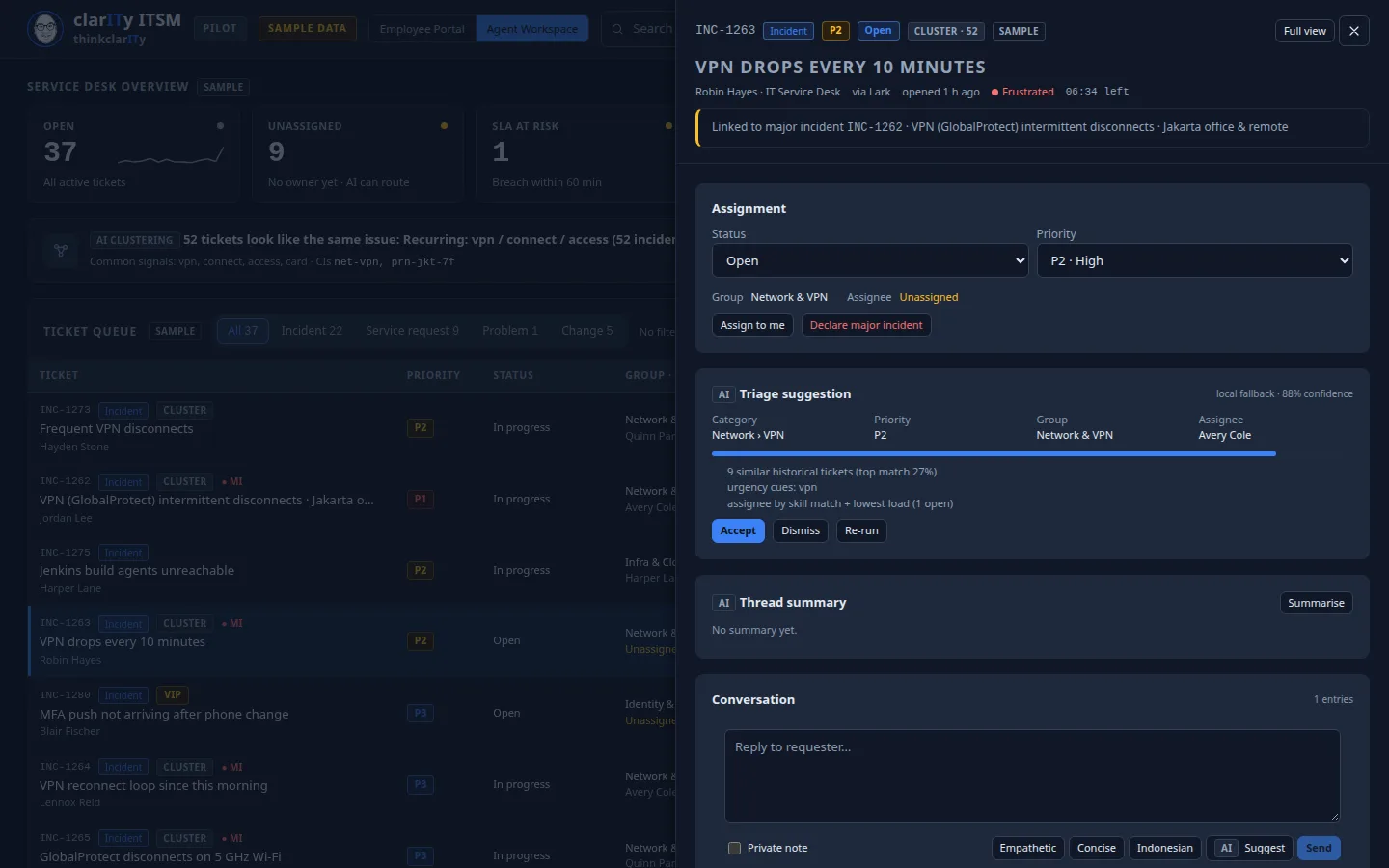
Triage suggestion · Sample workspace — demo data Desktop preview. This is not a phone layout of clarITy DEX.
About this image
clarITy ITSM demo build from cd9b2a6, captured 8 November 2026. Fictional tenant thinkclarITy sample workspace (fictional English seed); demo data, no customer data. Unpublished demo build, not the live product.
03
Incident, change, and approval
Manage a major incident and its updates, plan a change with a calendar and a risk note, and work the approval queue in the same place.
04
SLA and backlog analytics
Ticket volume by type, first-response and resolution SLA compliance, backlog age, and load by group and agent.
How clarITy DEX works
Three steps, without changing how people work.
Step 1
Install the agent
The clarITy DEX agent is installed on laptops and desktops. How it is deployed is agreed for your environment.
Step 2
See the score and the priority
A DEX score by device, location, and pillar shows what is getting in people's way today.
Step 3
Fix it with a record
Run remediation from an approved script, watch the result, and see whether the score actually recovers.
Who it is for
Built for IT teams that support a few hundred to a couple of thousand people.
Large enough to have several sites and hundreds of devices, small enough that every hour of the IT team matters.
A small IT team
Designed for a team of a few people supporting a few hundred to a couple of thousand employees.
Many offices and floors
Health by building and floor for a headquarters, branches, and hubs.
AI-assisted, still decided by people
DEX insight and ITSM triage suggestions stay suggestions until your team acts on them.
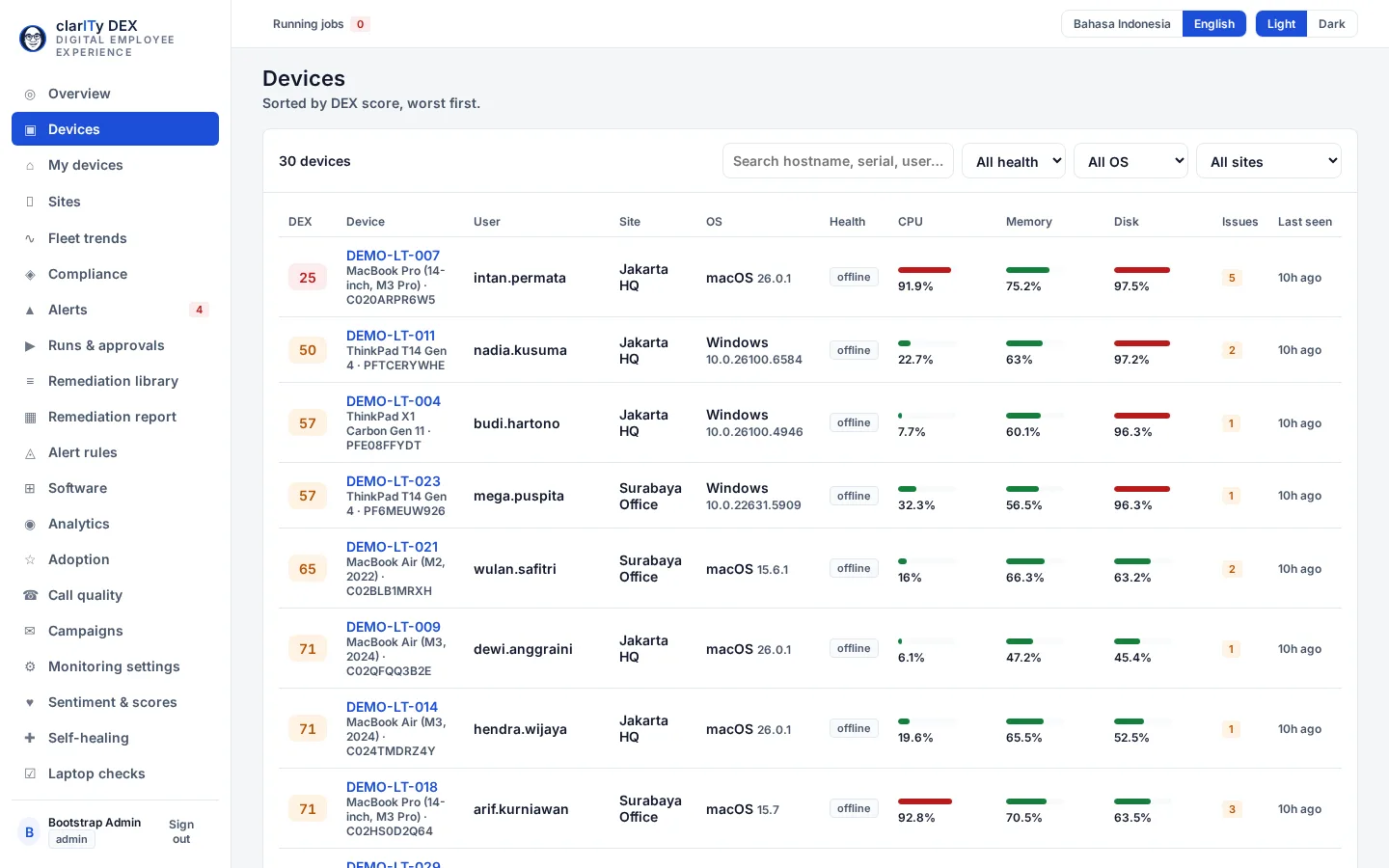
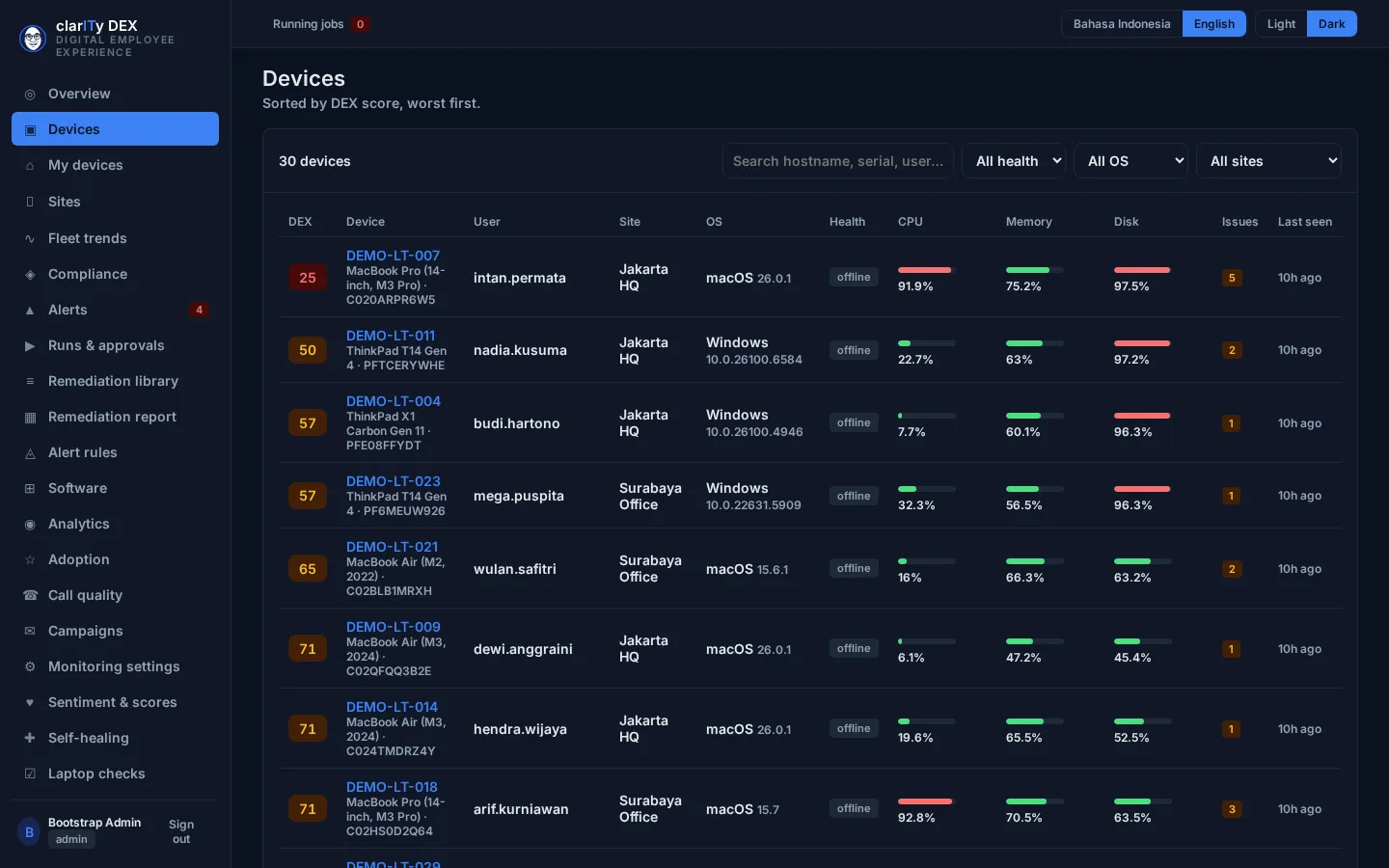
Desktop preview. This is not a phone layout of clarITy DEX.
About this image
clarITy DEX demo build from c6b9745, captured 9 November 2026, 07:28:03 WIB. Fictional tenant Acme Demo; demo data, no customer data. Local production SHA with Acme Demo fixtures, not the live host. No capture CSS or DOM change; the original footer is kept. The published preview is the 1440 desktop capture. The 390 files are kept unmodified and are not the phone preview: the sidebar fills that viewport, and the devices-list and device-detail files at 390 are the same image in each theme.
Pricing
clarITy DEX per device, clarITy ITSM by proposal
clarITy DEX is priced per device, billed monthly. Checkout on this site is a simulation and collects no payment. clarITy ITSM pricing is not published; it is provided in a written proposal.
clarITy DEX
Priced per device running the clarITy DEX agent, billed monthly.
IDR 25,000 / device / month
Minimum 20 devices (IDR 500,000 / month).
Free trial: our trial policy is 14 days for up to 25 devices. Start a 14-day trial. Sign in with Google. No credit card required. When the trial ends, the workspace becomes read-only until you subscribe.
What clarITy DEX does · More than 1,000 devices, or custom terms? Request a proposal
No credit card required. Online payment on this site is not active yet.
Simulation cart
This is not a purchase. No card is charged and no money moves. Simulation — no real payment collected.
20 devices × IDR 25,000 = IDR 500,000 / month
clarITy ITSM
IT Service Management
Contact us
The price is prepared for your agent count, module scope, and implementation.
- Agent workspace with queues and SLAs
- AI-assisted triage suggestions and similar-ticket grouping
- Incident, change, and approval
- SLA, backlog, and workload analytics
The price is not published. clarITy ITSM is sold by written proposal, not website checkout.
Security
Security
Plain about security, from the first day.
This site does not show certifications, customer logos, or a compliance guarantee. What we describe is the control in the product — and we will answer a security questionnaire in writing.
Remediation needs approval
A script is signed and can require a second person before it runs.
AI only suggests
A clarITy DEX insight and a clarITy ITSM triage suggestion change nothing until a person decides.
Recorded and traceable
Each remediation — success, failure, queued, rollback — is visible per device.
FAQ
Questions we hear often.
clarITy DEX and clarITy ITSM. Each can be used on its own or together.
Operational telemetry such as CPU, memory, disk, battery, boot time, application crashes, network quality, and compliance status. The exact scope, and how personal data is handled, is discussed in a demo with your security team.
Only if you allow it. A script must be approved, can require a second person, and an AI insight stays a suggestion until someone runs it.
clarITy ITSM pricing is not published. Contact us through the demo form. We prepare a proposal for your agent count and scope. The figures are not on this site.
No. Triage and grouping suggestions are shown to the agent to accept, edit, or ignore.
None are listed on this site. A connection to another system is confirmed in writing for your deployment, not assumed from this page.
IDR 25,000 / device / month, billed monthly, with a minimum of 20 devices (IDR 500,000 / month).
Our trial policy is 14 days free for up to 25 devices, and the workspace becomes read-only when the trial ends. Start a 14-day trial. Sign in with Google. No credit card required.
Start here
See clarITy DEX and clarITy ITSM with your IT team.
In a demo we walk through device health and remediation in clarITy DEX, and the agent workspace, SLAs, and triage in clarITy ITSM, then discuss a trial that fits.
clarITy DEX: Start a 14-day trial. Sign in with Google. No credit card required. clarITy ITSM: a trial arranged with our team.